Monday, August 1, 2011
Tata Docomo Gprs Settings
Tata Docomo Gprs Settings | Tata Docomo Internet Settings
Get Docomo Gprs Settings By Sending SMS :
Just Send SMS as "INTERNET" to "52270" without quota to get Gprs Settings for Tata Docomo. And you will receive the Gprs Settings Instantly, just save it default.
Tata Docomo Gprs Settings - Manually :
In Nokia s40 Mobile, first go to Settings then follow the below steps :
Configurations > Persnol config. sett. > Add New > Access Point
In Nokia s60 mobile, first go to :
Settings > Configurations > New Access Point
Name : Tata Docomo
Data Bearer : GPRS
Access Point : tata.docomo.internet
HomePage : www.google.com
(leave other things as it is and save this access point)
Yeah you are done with Tata Docomo Gprs Settings. And If you have problem regarding Tata Docomo Internet Settings , then please do comment and share your problem.
Incoming search terms:
Tata Docomo Gprs Settings
Tata Docomo Internet Settings
Tata Docomo 3G : Get 3G Speed In 2G Internet Plans
Tata Docomo 3G is the cheapest and first private company to provide Tata Docomo 3G in India, They have very cheap and attractive Internet Plans for their 2G users, but we can only get 20-30 kbps in 2G Internet Plans. Get 3G Speed In Tata Docomo
Tata Docomo 3G Speed
Tata Docomo 3G plans are very costly and not very attractive, a normal person can't afford this plan, I also use Tata Docomo 3G Mobile Internet (but i hacked it :-8 ) . I am getting speed of 200-350 kbps speed and that too in Tata Docomo 2G Internet plans. How ?? Lets check out the Trick.
Tata Docomo 3G : Get 3G Speed In 2G Internet Plans
Just do this below settings and you are done with the speed plans. Hack Tata Docomo 3G Speed
1. First activate your Tata Docomo 2G Internet Plan Of 15 rs (500MB)
2. And then make your balance to 1-2 rs
3. Now dial *141# and then select "3G Internet Plans" and select your state
4. Now activate lowest 3G Internet plans like of 11 rs or 9 rs
5. Now you will get the message of no balance so we can't activate this 3G plan
6. Just ignore this message and now check your internet downloading speed of Tata Docomo 3G
7. Enjoy 3G Speed In Old 2G Internet Plans In Tata Docomo
Note : This Tricks will only work where their is Tata Docomo 3G networks. Will work where you get the Tata Docomo 3G Networks. Tata Docomo 3G Speed
So, friends I hope you enjoyed this Tricks very much , Try this trick and letme knopw about the result because this trick is 100% working all over India. If you have any problem regarding this Trick then please do comment and share your problem. I am always ready to help you. Tata Docomo 3G Plans
Free Gprs In Tata Docomo 3G For Mobile And Pc With HighSpeed
Hi friends I hope you all are fine, After my previous article on "Free Gprs In Tata Docomo & Rim For Mobile Using Handler" I am again here with new Free Gprs Trick For Tata Docomo. This time we can enjoy Free Gprs In Tata Docomo In Pc And In Mobile, just read out the easy steps and enjoy Free Gprs In Tata Docomo.
Free Gprs In Tata Docomo 3G/2G For Mobile
I have explained this trick many times in different articles, and I think that you all are aware of this Free Gprs Trick In Tata Docomo. But those who are not knowing this trick and are new I am giving a refer link for them.
Read :- Free Gprs In Tata Docomo 3G/2G For Mobile
Free Gprs In Tata Docomo 3G For Pc
This Free Gprs Trick In Tata Docomo is very new to internet, so most of them are not knowing this trick, This Free Gprs Trick is very exclusive as we can enjoy "Free Gprs In PC" using Tata Docomo 3G, just follow this below steps...
Connect Your Mobile To Pc With " Tata Docomo DiveIn " settings
Open Firefox and in network settings enter proxy: 10.124.94.7 and port: 8080
Now in address bar , enter the following url: www.tata.in.flyproxy.com
Through that Proxy site enjoy free gprs in Pc .
Enjoy Free Gprs In Tata Docomo 3G For Pc .
(note: Free Gprs Trick For Pc , will only work in 3G area and not in 2G area)
Conditions
Balance must be above 1 rs
No Gprs pack should be activated
3G network is necessary to get high speed
So friends enjoy this free gprs trick for pc and don't forget to share your experience with this trick, Or if you found any problem with
Free Gprs In Tata Docomo For Mobile And Pc
then share it here , I will always their to help you out
Incoming search terms :-
Free Gprs In Tata Docomo 3G For Mobile And Pc With High-Speed
Free Gprs In Pc In Tata Docomo
Hack Tata Docomo For Free Gprs In Pc
Hack Tata Docomo 3G For Free Gprs In Pc
Hi friends I hope you all are fine, After my previous article on "Free Gprs In Tata Docomo & Rim For Mobile Using Handler" I am again here with new Free Gprs Trick For Tata Docomo. This time we can enjoy Free Gprs In Tata Docomo In Pc And In Mobile, just read out the easy steps and enjoy Free Gprs In Tata Docomo.
Free Gprs In Tata Docomo 3G/2G For Mobile
I have explained this trick many times in different articles, and I think that you all are aware of this Free Gprs Trick In Tata Docomo. But those who are not knowing this trick and are new I am giving a refer link for them.
Read :- Free Gprs In Tata Docomo 3G/2G For Mobile
Free Gprs In Tata Docomo 3G For Pc
This Free Gprs Trick In Tata Docomo is very new to internet, so most of them are not knowing this trick, This Free Gprs Trick is very exclusive as we can enjoy "Free Gprs In PC" using Tata Docomo 3G, just follow this below steps...
Connect Your Mobile To Pc With " Tata Docomo DiveIn " settings
Open Firefox and in network settings enter proxy: 10.124.94.7 and port: 8080
Now in address bar , enter the following url: www.tata.in.flyproxy.com
Through that Proxy site enjoy free gprs in Pc .
Enjoy Free Gprs In Tata Docomo 3G For Pc .
(note: Free Gprs Trick For Pc , will only work in 3G area and not in 2G area)
Conditions
Balance must be above 1 rs
No Gprs pack should be activated
3G network is necessary to get high speed
So friends enjoy this free gprs trick for pc and don't forget to share your experience with this trick, Or if you found any problem with
Free Gprs In Tata Docomo For Mobile And Pc
then share it here , I will always their to help you out
Incoming search terms :-
Free Gprs In Tata Docomo 3G For Mobile And Pc With High-Speed
Free Gprs In Pc In Tata Docomo
Hack Tata Docomo For Free Gprs In Pc
Hack Tata Docomo 3G For Free Gprs In Pc
wats to do with fade dress with washing machine
How can I dye clothing or fabric in the washing machine?
If your goal is a single, smooth, even color, you'll need to immersion dye with a lot of water, and a lot of stirring. An easy way to avoid stirring, and to work with large volumes of water without having to carry the water yourself, is to use an automatic washing machine.
Reset repeatedly
You'll need a long cycle, longer than is usually found on a washing machine, to give the dye plenty of time to react with the fabric. You should stay near the machine and reset it before it begins to drain at the end of a wash cycle. If you want to walk away from the machine, you should wear a timer (clipped to your clothing, or on a cord around your neck), to remind you to return before the end of the cycle; otherwise, you may find yourself wasting dye and auxiliary chemicals, letting them run down the drain before you are done with them. Some top-loading washing machines will agitate but not drain if the lid is left open, in which case this is a very easy way to avoid problems.
What kind of dyes?
Preferably NOT all-purpose. Some people claim that you can use all-purpose dyes in the washing machine. Unless your washing machine can heat water well above the usual temperature of the water heater (which is typically 120 to 140°F, or 49 to 60 °C), however, results will be less than optimal. All-purpose dye works best at the temperature of a simmer, 190-200°F, or 87-93°C; lower temperatures produce results that are duller in color and are not very wash-fast. Water that is hot enough for best results will often shrink garments, though, which can be a real problem with lined garments or garments that fit correctly before dyeing.
Fiber reactive dye. For dyeing cellulose materials, such as cotton, linen, rayon, or hemp, fiber reactive dyes are the best. They are brighter and more wash-fast than all-purpose or direct dye, and they work even in cool water, 70 degrees F (21 C) or above, which has obvious advantages in not causing shrinkage and not requiring extra heating of the water. Good examples of fiber reactive dyes include Procion MX, Cibacron F, and Drimarene K.
Procion MX dye is readily obtained by mail order from most of the companies listed on my Sources for Dyeing Supplies page, while Cibacron F is available under the brand name of Sabracron F, from PRO Chemical & Dye. Drimarene K is the type of dye found in Dylon Machine Dye, commonly available in Europe but not the US; this dye is promoted as being formulated for use in front-loading washing machines. Drimarene K is also available from Batik Oetoro in Australia.
Acid dyes. Acid dyes are needed to dye nylon, wool, and other animal fibers, such as mohair, angora, etc. (Silk is a special case and can be dyed like wool or like cotton.) Acid dyes will not dye cellulose materials such as cotton. Acid dyes normally require the same sort of heating as described above for all-purpose dye, but sometimes they are used in hot tap water.
Top-loaders versus front-loaders
Top-loading washing machines are much easier to use for dyeing, because the lid can be opened at any time during the cycle, and dyes or auxiliaries can be added at will. Front-loading washing machines are much more frugal with water, however. Some front-loading washing machines, particularly in Europe, have heaters which allow fabric to be dyed or washed at temperatures much higher than tap water can reach. The best front-loaders for washing have dispensers through which dye and auxiliaries (such as salt and soda ash) can be added, taking care of the major problem of not being able to open the front door during a wash cycle. If your front-loading washing machine lacks these dispensers, try Dylon Machine Dye, if you can get it, as the instructions for its use do not require them. The ideal small dyeing studio should have both a top-loading washing machine, for use in dyeing, and a front-loading washing machine, for use in washing out dye. If you have a top-loading machine that still works, but wish to replace it with a front loader, consider keeping the top-loader, and stacking a new front-loader on top of your dryer, or underneath it.
How to do it
Immersion dyeing requires the use of salt, not, as is commonly misunderstood, as a dye fixative—salt does nothing to attach dye to fabric—but in order to help drive the dye from solution onto the fabric. Often this means large quantities of salt, such as 20 cups (5 liters) per washing machine load. Use any sort of non-iodized salt you can find, or use iodized salt if that's all you can get. (The cheapest convenient source I've found is in the form of 4 pound boxes of pickling salt at the grocery store.) The amount of dye typically depends on the amount of fabric you use, and of course also on the desired intensity of shade (use smaller amounts for paler colors). Fiber reactive dyes also require the use of soda ash to raise the ph; acid dyes require vinegar or another acid. Dyes and soda ash should each be dissolved separately in water before being added to the washing machine. I recommend that you follow any of the appropriate recipes whose links are listed below:
Procion MX and Cibacron F (for cotton, rayon, and silk)
Grateful Dyes' Top Loading Washing Machine Dyeing Instructions For Grateful Dyes, Inc. Reactive Type Dye
Dharma Trading Company's The Vat (Washing Machine, Tub, Bucket) Dye Method
PRO Chemical & Dye's Immersion Dyeing in the Home Washing Machine using PRO MX Reactive Dyes and
Immersion Dyeing in the Home Washing Machine using Sabracron F Reactive Dyes
Jacquard Products' instructions for immersion dyeing with Procion MX dye
Drimarene K (for cotton, rayon, and silk)
Dylon's Front Loader Machine Dye Instructions for cotton, linen, and rayon
Acid dye (for wool, silk, and nylon)
Jacquard's instructions for Immersion Dyeing in a Washing Machine with Jacquard Acid Dyes [click on "How To" in the sidebar at the left of the page, then "Immersion: Washing Machine" at the top]
Important: first prepare your fabric
Prewash: All fabrics must be pre-washed before dyeing. Fabrics may have invisible stains that will affect the evenness of dyeing, or they may have finishes that will have the same effect.
Use special detergent: For the very best and brightest results, it is best to use a special detergent for this purpose, because many commercial laundry detergents container optical brighteners which occupy the same positions you want the fabric to make available for the dye, and brighteners make deep colors look less intense. Appropriate detergents include Synthrapol, or pure SDS (sodium dodecyl sulfate or sodium lauryl sulfate), commonly sold in feed stores under the brand name Orvus. However, results of dyeing are generally acceptable even when ordinary detergents have been used for pre-washing. If you don't have Synthrapol, don't worry; just use whatever detergent you have.
Beware of starch: Sometimes fabrics will have been treated with starch before sale. Starch presents a major problem for the dyer. It will take up dye readily itself, then gradually wash out, giving the mistaken appearance of dye bleeding. Starched fabric is not suitable for dyeing, because washing does not remove most of it. To determine whether your fabric contains starch, drop 2% tincture of iodine on it. Iodine turns an intense blue in the presence of starch.
Permanent press and other resins. If the fabric has been treated with a no-iron finish, or with a stain resistant coating, or with any sort of water repellant, dye will not be able to reach the fabric evenly, resulting in pale, uneven dyeing. A permanent press finish can be removed with muriatic acid, but the chemical is too hazardous to be suitable for home or studio use. Also, some after-dyeing dye fixatives, which are invaluable for combatting the poor wash-fastness of direct dyes and all-purpose dyes, will afterwards prevent dye from reaching the fiber properly. This may present a problem in dyeing the many garments that have been commercially dyed with direct dye.
Other potential problems. Occasionally, different parts of a garment will be made from more than one lot of fabric, which look the same before dyeing, but then look quite different after dyeing. There is nothing to be done about this except chalk it up to acceptable losses, or dye only blank garments that have been sold as "PFD" (Prepared For Dyeing").
But won't it ruin my washing machine?
No. I know lots of people who routinely dye in the washing machine; their machines do not seem to wear out any more quickly than other washing machines subjected to the same workload, though it is theoretically possible that the high levels of salt would speed corrosion in rustable parts of the machine. Using the machine on a daily basis for dyeing may shorten its lifespan somewhat; occasional use does not appear to be significant.
Will it ruin the clothes I wash in the machine, later on?
After dyeing, be sure to wipe up any spots of dye that result from splashing, spots that have appeared above the water level. If you are using fiber reactive dyes, you should wash your newly dyed items, first in cold water, and then in water that is as hot as the fabric can tolerate, to remove excess dye. If you are using acid dye, you should wash the fabric only in cool temperatures, and then follow that by using hot water to wash a load of rags or something else that excess dye will not ruin, preferably with bleach. After this, all excess dye should be removed, leaving the machine clean and safe for the next load. I have never had a problem with washing clothes, after dyeing, perhaps due to following these rules.
Will the dye stain my washing machine?
Occasionally, some turquoise MX-G (reactive blue #140) will cause lasting stains on the white enamel interior of the washing machine. (Note that many mixed colors of MX fiber reactive dye include this dye in their formula.) Other colors do not seem to do this, though I don't know about acid dyes. The stains do no harm and will not damage clothes that are washed later. Washing a laundry load with plenty of bleach may help to remove the stains. When dyeing in the bathtub, I have found that dye stains are easily removed with a scouring powder such as Bon Ami, though a bleach-containing scouring powder may be even more effective. Dye stains appear to adhere to soap scum rather than to the enamel itself.
If your goal is a single, smooth, even color, you'll need to immersion dye with a lot of water, and a lot of stirring. An easy way to avoid stirring, and to work with large volumes of water without having to carry the water yourself, is to use an automatic washing machine.
Reset repeatedly
You'll need a long cycle, longer than is usually found on a washing machine, to give the dye plenty of time to react with the fabric. You should stay near the machine and reset it before it begins to drain at the end of a wash cycle. If you want to walk away from the machine, you should wear a timer (clipped to your clothing, or on a cord around your neck), to remind you to return before the end of the cycle; otherwise, you may find yourself wasting dye and auxiliary chemicals, letting them run down the drain before you are done with them. Some top-loading washing machines will agitate but not drain if the lid is left open, in which case this is a very easy way to avoid problems.
What kind of dyes?
Preferably NOT all-purpose. Some people claim that you can use all-purpose dyes in the washing machine. Unless your washing machine can heat water well above the usual temperature of the water heater (which is typically 120 to 140°F, or 49 to 60 °C), however, results will be less than optimal. All-purpose dye works best at the temperature of a simmer, 190-200°F, or 87-93°C; lower temperatures produce results that are duller in color and are not very wash-fast. Water that is hot enough for best results will often shrink garments, though, which can be a real problem with lined garments or garments that fit correctly before dyeing.
Fiber reactive dye. For dyeing cellulose materials, such as cotton, linen, rayon, or hemp, fiber reactive dyes are the best. They are brighter and more wash-fast than all-purpose or direct dye, and they work even in cool water, 70 degrees F (21 C) or above, which has obvious advantages in not causing shrinkage and not requiring extra heating of the water. Good examples of fiber reactive dyes include Procion MX, Cibacron F, and Drimarene K.
Procion MX dye is readily obtained by mail order from most of the companies listed on my Sources for Dyeing Supplies page, while Cibacron F is available under the brand name of Sabracron F, from PRO Chemical & Dye. Drimarene K is the type of dye found in Dylon Machine Dye, commonly available in Europe but not the US; this dye is promoted as being formulated for use in front-loading washing machines. Drimarene K is also available from Batik Oetoro in Australia.
Acid dyes. Acid dyes are needed to dye nylon, wool, and other animal fibers, such as mohair, angora, etc. (Silk is a special case and can be dyed like wool or like cotton.) Acid dyes will not dye cellulose materials such as cotton. Acid dyes normally require the same sort of heating as described above for all-purpose dye, but sometimes they are used in hot tap water.
Top-loaders versus front-loaders
Top-loading washing machines are much easier to use for dyeing, because the lid can be opened at any time during the cycle, and dyes or auxiliaries can be added at will. Front-loading washing machines are much more frugal with water, however. Some front-loading washing machines, particularly in Europe, have heaters which allow fabric to be dyed or washed at temperatures much higher than tap water can reach. The best front-loaders for washing have dispensers through which dye and auxiliaries (such as salt and soda ash) can be added, taking care of the major problem of not being able to open the front door during a wash cycle. If your front-loading washing machine lacks these dispensers, try Dylon Machine Dye, if you can get it, as the instructions for its use do not require them. The ideal small dyeing studio should have both a top-loading washing machine, for use in dyeing, and a front-loading washing machine, for use in washing out dye. If you have a top-loading machine that still works, but wish to replace it with a front loader, consider keeping the top-loader, and stacking a new front-loader on top of your dryer, or underneath it.
How to do it
Immersion dyeing requires the use of salt, not, as is commonly misunderstood, as a dye fixative—salt does nothing to attach dye to fabric—but in order to help drive the dye from solution onto the fabric. Often this means large quantities of salt, such as 20 cups (5 liters) per washing machine load. Use any sort of non-iodized salt you can find, or use iodized salt if that's all you can get. (The cheapest convenient source I've found is in the form of 4 pound boxes of pickling salt at the grocery store.) The amount of dye typically depends on the amount of fabric you use, and of course also on the desired intensity of shade (use smaller amounts for paler colors). Fiber reactive dyes also require the use of soda ash to raise the ph; acid dyes require vinegar or another acid. Dyes and soda ash should each be dissolved separately in water before being added to the washing machine. I recommend that you follow any of the appropriate recipes whose links are listed below:
Procion MX and Cibacron F (for cotton, rayon, and silk)
Grateful Dyes' Top Loading Washing Machine Dyeing Instructions For Grateful Dyes, Inc. Reactive Type Dye
Dharma Trading Company's The Vat (Washing Machine, Tub, Bucket) Dye Method
PRO Chemical & Dye's Immersion Dyeing in the Home Washing Machine using PRO MX Reactive Dyes and
Immersion Dyeing in the Home Washing Machine using Sabracron F Reactive Dyes
Jacquard Products' instructions for immersion dyeing with Procion MX dye
Drimarene K (for cotton, rayon, and silk)
Dylon's Front Loader Machine Dye Instructions for cotton, linen, and rayon
Acid dye (for wool, silk, and nylon)
Jacquard's instructions for Immersion Dyeing in a Washing Machine with Jacquard Acid Dyes [click on "How To" in the sidebar at the left of the page, then "Immersion: Washing Machine" at the top]
Important: first prepare your fabric
Prewash: All fabrics must be pre-washed before dyeing. Fabrics may have invisible stains that will affect the evenness of dyeing, or they may have finishes that will have the same effect.
Use special detergent: For the very best and brightest results, it is best to use a special detergent for this purpose, because many commercial laundry detergents container optical brighteners which occupy the same positions you want the fabric to make available for the dye, and brighteners make deep colors look less intense. Appropriate detergents include Synthrapol, or pure SDS (sodium dodecyl sulfate or sodium lauryl sulfate), commonly sold in feed stores under the brand name Orvus. However, results of dyeing are generally acceptable even when ordinary detergents have been used for pre-washing. If you don't have Synthrapol, don't worry; just use whatever detergent you have.
Beware of starch: Sometimes fabrics will have been treated with starch before sale. Starch presents a major problem for the dyer. It will take up dye readily itself, then gradually wash out, giving the mistaken appearance of dye bleeding. Starched fabric is not suitable for dyeing, because washing does not remove most of it. To determine whether your fabric contains starch, drop 2% tincture of iodine on it. Iodine turns an intense blue in the presence of starch.
Permanent press and other resins. If the fabric has been treated with a no-iron finish, or with a stain resistant coating, or with any sort of water repellant, dye will not be able to reach the fabric evenly, resulting in pale, uneven dyeing. A permanent press finish can be removed with muriatic acid, but the chemical is too hazardous to be suitable for home or studio use. Also, some after-dyeing dye fixatives, which are invaluable for combatting the poor wash-fastness of direct dyes and all-purpose dyes, will afterwards prevent dye from reaching the fiber properly. This may present a problem in dyeing the many garments that have been commercially dyed with direct dye.
Other potential problems. Occasionally, different parts of a garment will be made from more than one lot of fabric, which look the same before dyeing, but then look quite different after dyeing. There is nothing to be done about this except chalk it up to acceptable losses, or dye only blank garments that have been sold as "PFD" (Prepared For Dyeing").
But won't it ruin my washing machine?
No. I know lots of people who routinely dye in the washing machine; their machines do not seem to wear out any more quickly than other washing machines subjected to the same workload, though it is theoretically possible that the high levels of salt would speed corrosion in rustable parts of the machine. Using the machine on a daily basis for dyeing may shorten its lifespan somewhat; occasional use does not appear to be significant.
Will it ruin the clothes I wash in the machine, later on?
After dyeing, be sure to wipe up any spots of dye that result from splashing, spots that have appeared above the water level. If you are using fiber reactive dyes, you should wash your newly dyed items, first in cold water, and then in water that is as hot as the fabric can tolerate, to remove excess dye. If you are using acid dye, you should wash the fabric only in cool temperatures, and then follow that by using hot water to wash a load of rags or something else that excess dye will not ruin, preferably with bleach. After this, all excess dye should be removed, leaving the machine clean and safe for the next load. I have never had a problem with washing clothes, after dyeing, perhaps due to following these rules.
Will the dye stain my washing machine?
Occasionally, some turquoise MX-G (reactive blue #140) will cause lasting stains on the white enamel interior of the washing machine. (Note that many mixed colors of MX fiber reactive dye include this dye in their formula.) Other colors do not seem to do this, though I don't know about acid dyes. The stains do no harm and will not damage clothes that are washed later. Washing a laundry load with plenty of bleach may help to remove the stains. When dyeing in the bathtub, I have found that dye stains are easily removed with a scouring powder such as Bon Ami, though a bleach-containing scouring powder may be even more effective. Dye stains appear to adhere to soap scum rather than to the enamel itself.
Saturday, July 23, 2011
BSNL 3G Hack for Unlimited Plan
There are multiple techniques to hack the BSNL 3G service which you can find them in many mobile blogs, I have tried them but its not working in my area, however here is the 100% working technique to get 3G speed for mere 249.Rs instead of 1300.Rs. The trick is, to say in short, we activate GPRS service for 2G and change the tower to 3G network so we get 3G speed for browsing icon smile BSNL 3G Hack for Unlimited Plan Chennai
bsnl 3g hack chennai1 BSNL 3G Hack for Unlimited Plan Chennai
Well, here are the steps to follow,
Step 1 : All you need is a 3G supported Mobile phone with 3G activated BSNL Sim in that.
Step 2 : Now top up your mobile with minimum 300 Rs.
Step 3 : Activate Unlimited GPRS plan by sending SMS in the following format,
“GPRS249“ to 53733
Step 4 : Now change your Network Operator from GSM to WCDMA/UTMS/3G depending on your handset,
Now enjoy unlimited Browsing in 3G speed icon smile BSNL 3G Hack for Unlimited Plan Chennai
Note :
If you have doubt, You can check whether the system works or not in your circle by activating 7 rs. plan
by sending sms as “GPRS7″ to 53733 and do the same as above.
Available GPRS Packs :
Rs.7 – 50 MB 1 day
Rs.20 – Unlimited 1 day
Rs.13 – 200 MB 3 days
Rs.89 – 2 GB 1 mnth
Rs.249 – Unlimited for 1 months
This works 100% in Tamilnadu Circle ( Chennai )
There are multiple techniques to hack the BSNL 3G service which you can find them in many mobile blogs, I have tried them but its not working in my area, however here is the 100% working technique to get 3G speed for mere 249.Rs instead of 1300.Rs. The trick is, to say in short, we activate GPRS service for 2G and change the tower to 3G network so we get 3G speed for browsing icon smile BSNL 3G Hack for Unlimited Plan Chennai
bsnl 3g hack chennai1 BSNL 3G Hack for Unlimited Plan Chennai
Well, here are the steps to follow,
Step 1 : All you need is a 3G supported Mobile phone with 3G activated BSNL Sim in that.
Step 2 : Now top up your mobile with minimum 300 Rs.
Step 3 : Activate Unlimited GPRS plan by sending SMS in the following format,
“GPRS249“ to 53733
Step 4 : Now change your Network Operator from GSM to WCDMA/UTMS/3G depending on your handset,
Now enjoy unlimited Browsing in 3G speed icon smile BSNL 3G Hack for Unlimited Plan Chennai
Note :
If you have doubt, You can check whether the system works or not in your circle by activating 7 rs. plan
by sending sms as “GPRS7″ to 53733 and do the same as above.
Available GPRS Packs :
Rs.7 – 50 MB 1 day
Rs.20 – Unlimited 1 day
Rs.13 – 200 MB 3 days
Rs.89 – 2 GB 1 mnth
Rs.249 – Unlimited for 1 months
This works 100% in Tamilnadu Circle ( Chennai )
How to Unlock Password-Protected Memory Cards
Many people, more or less familiar with their handsets, find out that they cannot access
their memory card even though they haven't set any passwords for it. This often happens with experienced users that intend to protect their information by setting a password and then forget what the password was.
For those of you who own S60 1st or 2nd devices, things are pretty simple and straightforward, as long as you use FExplorer file manager. The password seems to be stored in a simple file that can be found in C:\System folder. The file is called MMCstore and should be renamed as a .txt file so that it can be opened. Your password should be at the end of the file in the form of various characters.
If you own an S60 3rd handset, you won't be able to recover your password, unless you own an Eseries device. The solution below is only available in case you haven't specifically set a password for your card and you simply found out that you could not access it. The main reason could be the fact that you mistakenly (or not) activated the 'remote lock' function on the device. This option enables you to lock the phone by sending a specific text through SMS. In case you activated it, bear in mind that the remote lock message that you used is also available for the memory card.
Unfortunately, if you do not own any of the above mentioned devices and you simply have an S60 3rd Edition handset, you won't be able to retrieve your password, but at least you will be able to recover your memory card, so you can continue to use it. Thus, the only thing you are left to do is simply reformat the memory card. Still, if you haven't made a backup on your PC, you will, of course, lose all the data on the memory card.
Unlock Password Protected Memory Card
Well its quite simple but most of the people do not know it. Posted yesterday in OUG and had a nice response.Hence posting it here.
Please note the fact that it only works if the password to the MMC Card was set in ur own mobile,where u want it to be unlocked.
This method works well for nokia cells with symbian operating system.Never tried on other cells.use any software like FXplorer that can browse files in ur cell.
•
1. Open one of above software you have.
2. Browse through the directory, C:\system
3. Rename the file mmcstore to mmcstore.txt
4. Open the file - The file will open in Notes.
5. You will find your password in that file. That file would also contain much more data which you do not understand,so you need to go through the file to get the password!
When ur cell is connected to pc by means of data cable or bluetooth,u can see the password by simply opening the file mmcstore with notepad.
their memory card even though they haven't set any passwords for it. This often happens with experienced users that intend to protect their information by setting a password and then forget what the password was.
For those of you who own S60 1st or 2nd devices, things are pretty simple and straightforward, as long as you use FExplorer file manager. The password seems to be stored in a simple file that can be found in C:\System folder. The file is called MMCstore and should be renamed as a .txt file so that it can be opened. Your password should be at the end of the file in the form of various characters.
If you own an S60 3rd handset, you won't be able to recover your password, unless you own an Eseries device. The solution below is only available in case you haven't specifically set a password for your card and you simply found out that you could not access it. The main reason could be the fact that you mistakenly (or not) activated the 'remote lock' function on the device. This option enables you to lock the phone by sending a specific text through SMS. In case you activated it, bear in mind that the remote lock message that you used is also available for the memory card.
Unfortunately, if you do not own any of the above mentioned devices and you simply have an S60 3rd Edition handset, you won't be able to retrieve your password, but at least you will be able to recover your memory card, so you can continue to use it. Thus, the only thing you are left to do is simply reformat the memory card. Still, if you haven't made a backup on your PC, you will, of course, lose all the data on the memory card.
Unlock Password Protected Memory Card
Well its quite simple but most of the people do not know it. Posted yesterday in OUG and had a nice response.Hence posting it here.
Please note the fact that it only works if the password to the MMC Card was set in ur own mobile,where u want it to be unlocked.
This method works well for nokia cells with symbian operating system.Never tried on other cells.use any software like FXplorer that can browse files in ur cell.
•
1. Open one of above software you have.
2. Browse through the directory, C:\system
3. Rename the file mmcstore to mmcstore.txt
4. Open the file - The file will open in Notes.
5. You will find your password in that file. That file would also contain much more data which you do not understand,so you need to go through the file to get the password!
When ur cell is connected to pc by means of data cable or bluetooth,u can see the password by simply opening the file mmcstore with notepad.
Sunday, June 12, 2011
How To Unlock Idea NetSetter 3G – Huawei E1550
by joethachil
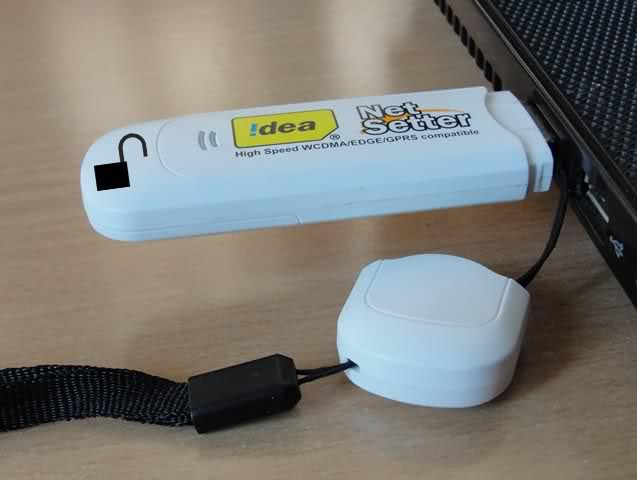
Idea NetSetter is a 3G HSDPA USB Device with the model number as Huawei E1550. The device has the maximum speed of 3.6 Mbps which means 330 KB/Sec of download speed. Key features of this device includes -
- Size: 71.5×26×11mm
- HSUPA/HSDPA/UMTS 2100MHz ·
- EDGE/GPRS/GSM 850/900/1800/1900MHz; ·
- HSDPA 3.6M ·
- Data / SMS / USSD support ·
- Invoke browser option ·
- Rx Diversity (Optional) ·
- Improved design ·
- Compatible with Windows 2000/XP/Vista/7, Mac, and Linux OS (limited versions) ·
- Micro SD Card Slot
Idea Netsetter 3G is sold for a price of 1600 INR in Andhra Pradesh and Maharashtra while it is sold for 1999 in rest of India. A brand new idea device is locked to the first Idea Sim Card that is inserted in the device. Earlier, Idea devices used to be locked to the Idea network but now they are have locked to a sim card which means you cannot use the device even with a different mobile sim card from the same network which is lame. Idea may try to give a rational explanation for the same but it somehow makes no sense, it is a desperate try to sell more devices and prevent customer from sharing it.
Pre-requisites before unlocking
The process to unlock the device is fairly simple and has no rocket science involved. You just have to run the setup file of just 3 software packages and you are done. Additionally, you may need to have an idea sim card with you with its PUK code. To know the PUK code, you can call the Idea customer care. Alternatively, You can also SMS the first 19 digits of the sim s/n to 55303 from the same idea number. The SMS format is -
PUK <First 19 digits of s/n found behind the sim card>
Send this SMS to 55303 and within minutes you will receive your PUK code as a SMS. However, in most cases, you may not require this and just knowing the HUAWEI E1550 Unlock Code may suffice.
Step 1
Insert your Idea NetSetter 3G device (with the original Idea sim card it came bundled with) in the USB port of your computer and install the Idea NetSetter software. This is to ensure that all the necessary device drivers are installed. You can skip this step if you already have the software installed.
Step 2
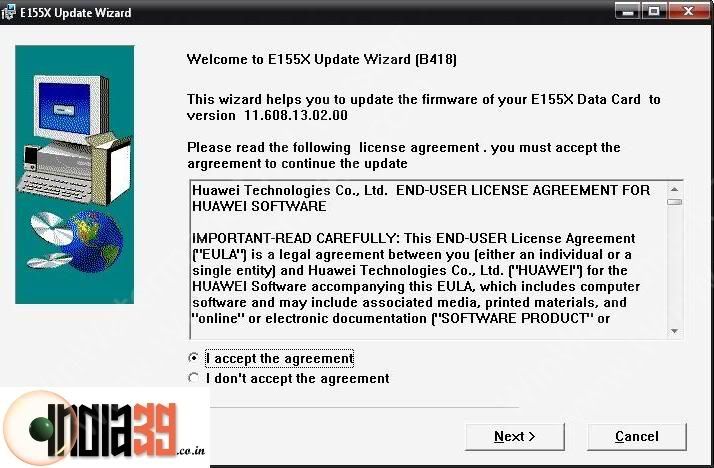
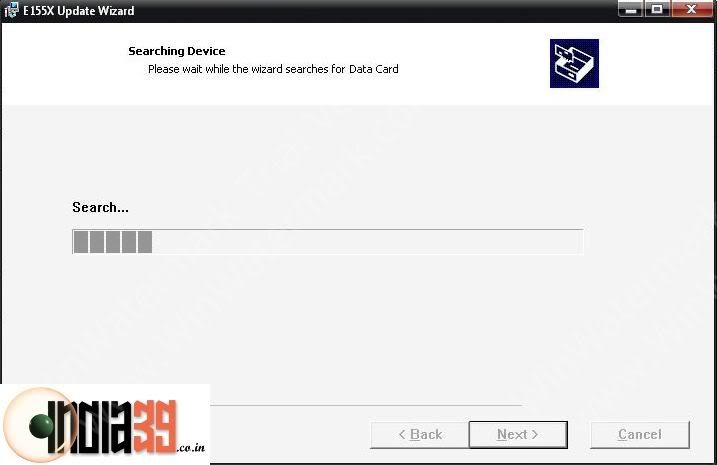
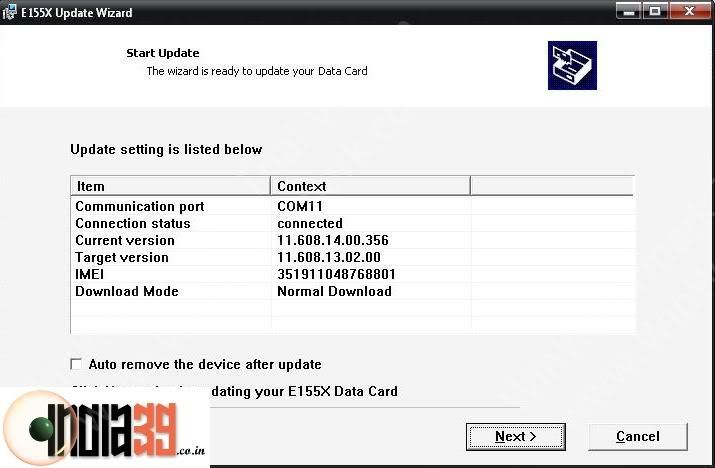
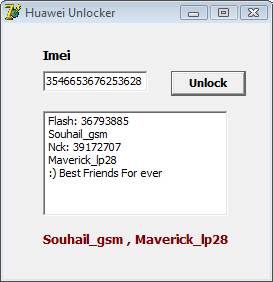
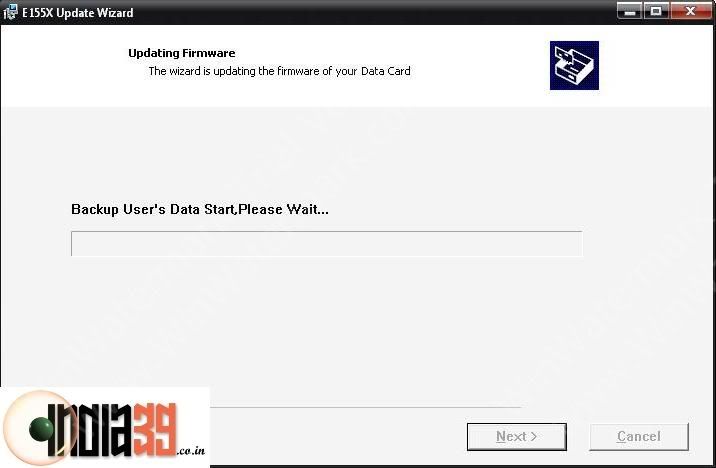
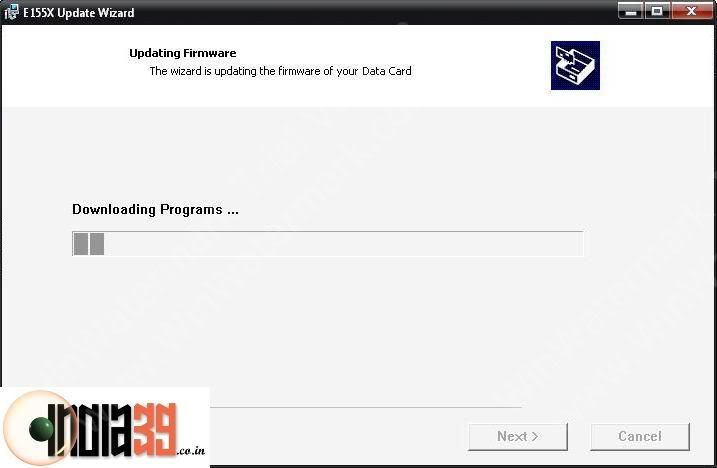
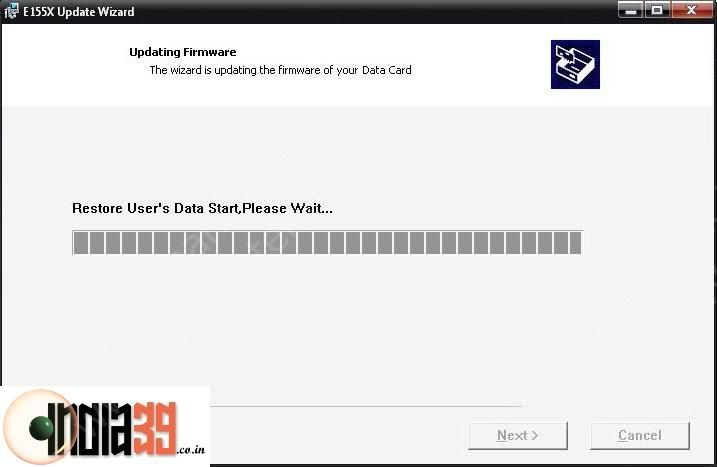
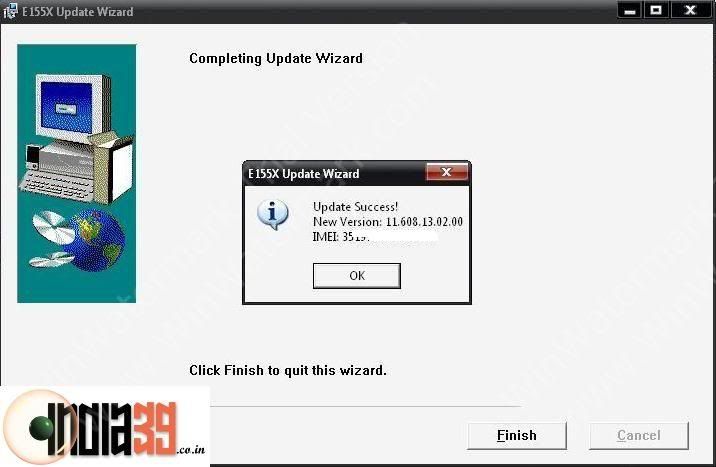
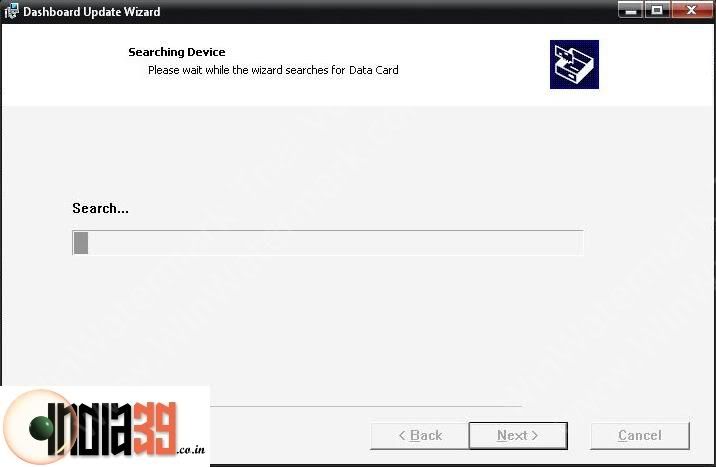
Run the setup file of the E155XUpdate_11.608.13.02.00.B418 Software and follow the on-screen instructions. If the device is not found by the application, make sure to exit the Idea Software or any other application that may be using the Idea USB device and try again. You will require the flash code for continuing with the process. Use the Huawei Unlocker software and key in the IMEI number of the Idea Netsetter (Remove the sim card to see the IMEI number). The application will generate two numbers Flash and Nck. Flash code is the one that you will need in this step. Also, note down the Nck code, you might require this in the last step.
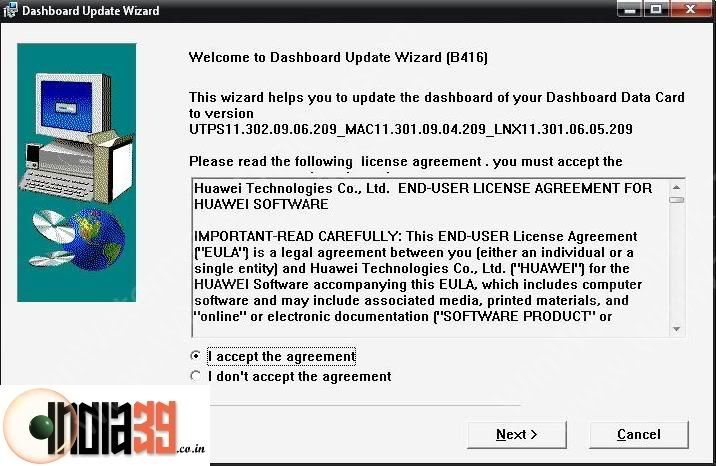
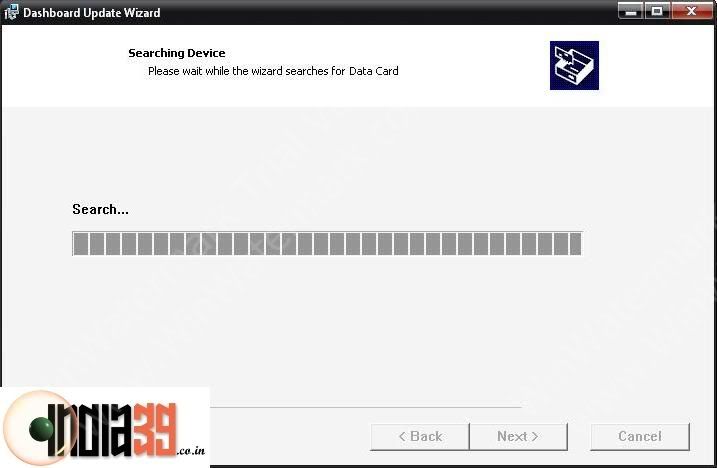
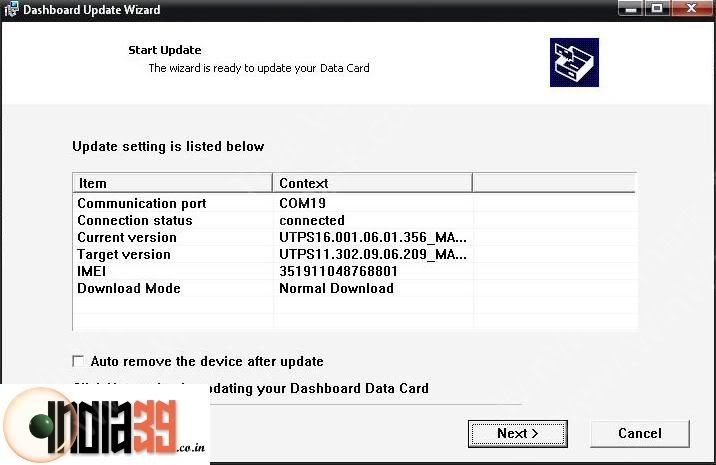
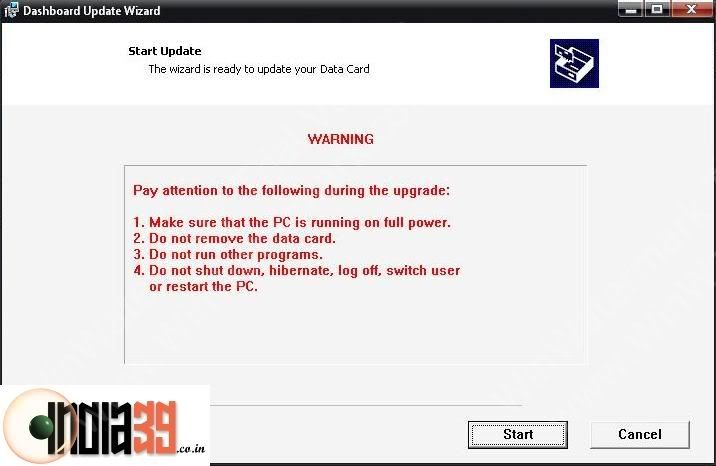
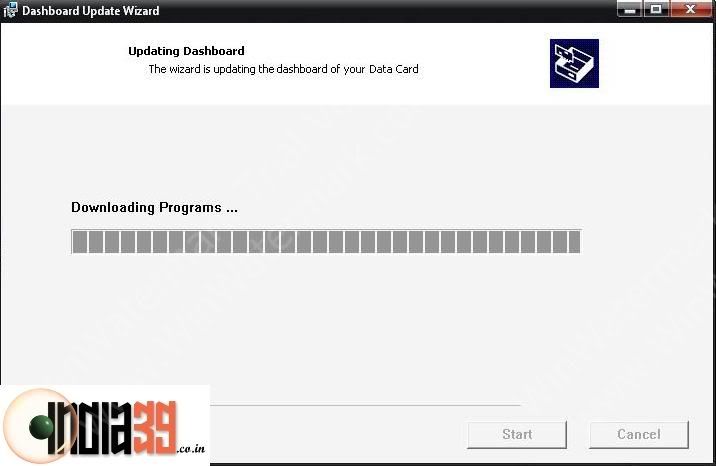
This is where you might have to enter the flash code and the steps proceed as shown in screens if you enter a correct flash code.
Step 3
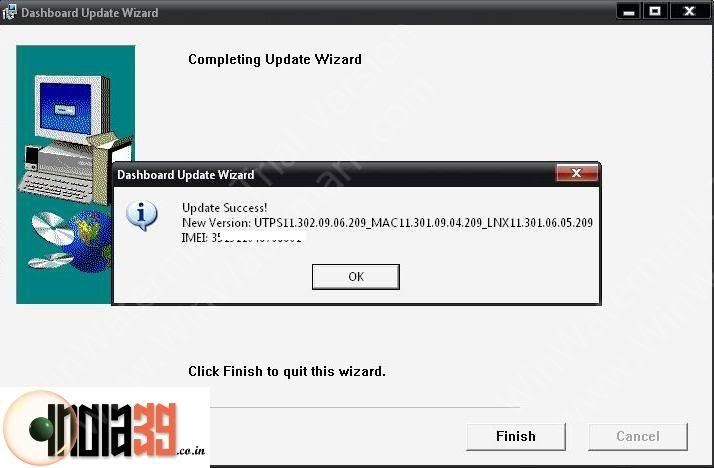
Now, you are one step closer to unlocking of the NetSetter device. Start the setup file of HUAWEI_UTPS11.302.09.06.209 software and follow the on-screen instructions. Again, ensure that the 3G device is not being used by any other software so that the application could find it easily.
Step 4
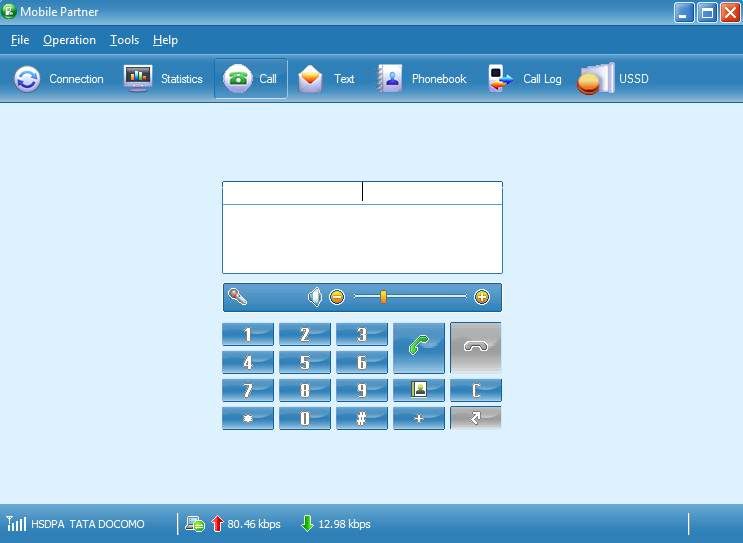
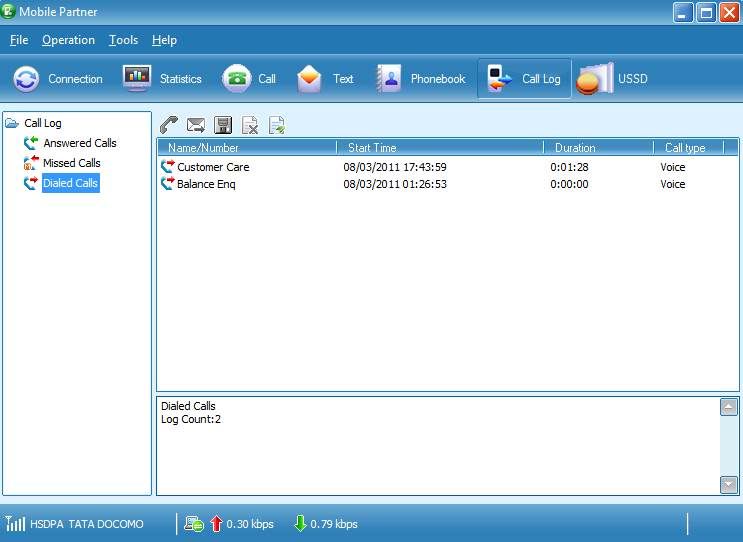
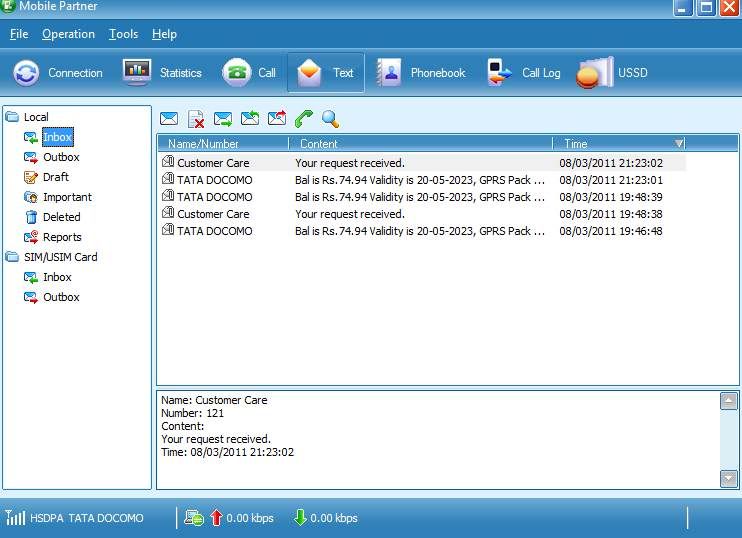
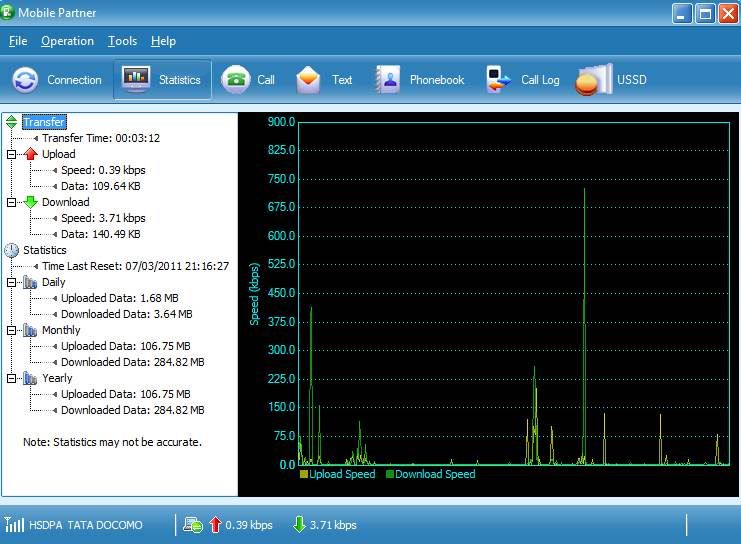
This step involves installing the Huawei Original Unbranded Mobile Partner software on your computer to manage the 3G device. It is the same software that comes with NetSetter but it is just that it is unbranded and has no logo for any telecom company. But it is recommended to install to complete the unlocking procedure. It is like a normal software installation and does not require any specific guidelines.
Step 5
This is the most important and the final step. I hope you have the PUK code for the Idea Sim Card handy. The Idea Sim Card required in this step can be any Idea sim card (original bundled or a new one) but the PUK code should belong to the one you intend to insert in the 3G device.
Remove the 3G device from the computer and re-insert. Launch the Mobile Partner software, it will immediately ask for a password (saying you have 3 chances). Try to enter the PUK code correctly. After two chances if you are unable to succeed, do not try the 3rd time, simply take out the 3G device from the USB port without closing the software. You should notice that the password window is not visible now. Close Mobile Partner.
Re-insert the Idea NetSetter, launch the Mobile Partner and notice that the application now asks for a password allowing 10 retry attempts. You now need to provide the Huawei Unlock Code (Nck Code) which you got from the Huawei Unlocker software. Once you key in the correct code, the 3G Netsetter is unlocked and you are good to go. You can now use any sim card from any mobile network.
Conclusion
The successful completion of the 5th step unlocks the Idea NetSetter 3G and allows you to use the device with any damn 3G network in the world. One of the changes that you might see after the completion of the process is the presence of a different software on the 3G device instead of Idea Branded Software. The new software is the Huawei Megafone Software and can be used without any issues. Just plug the device in to any computer and install the bundled software in the 3G device.
Another useful aspect of this unlocking procedure is that after the unlock, you can use the device for making voice calls right from your computer using the computer’s mic and speakers.
Mobile Partner (11.12 MB)
Huawei Unlocker (192.88 KB)
E155XUpdate_11.608.13.02.00.B418 (14.31 MB)
HUAWEI_UTPS11.302.09.06.209 (17.64 MB)
comment pls
Subscribe to:
Posts (Atom)